
Photos are captured in the ID123 digital ID app. Students will receive an invitation to install the ID123 app and set up a digital ID card. Reference this help article for assistance.
- Take a digital photo of yourself that meets the following guidelines:
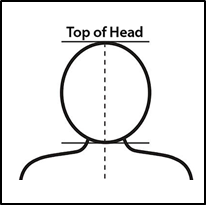
- Headshot (above the shoulder - similar to a passport photo)
- Front-facing the camera (head not angled to side)
- Do not wear headgear, hats, etc.
- Do not aim for art, aim for a recognizable ID photo
- Background should be plain with a single light color (preferably white, off-white or light blue)
- Avoid a cluttered background - a plain light-colored wall would be fine.
Here's a guideline example of a well-formatted headshot:
Periodically, new photos are transferred from the ID123 system to Learning.